Cover
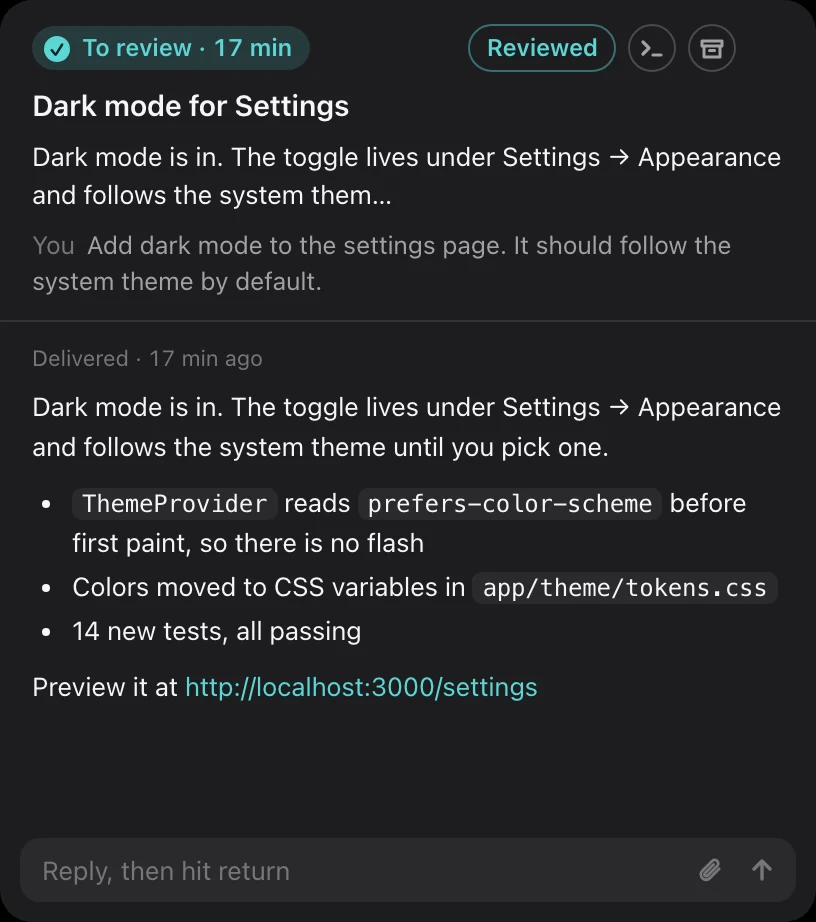
One card at a time. The card in front is the session that most needs you. Reply in it and press Return, and the next result comes up. Sessions that are still running stay in the back, blurred, until they finish.
 cc-board
GitHub
A Mac app that shows every Claude Code session you have running as a card. Whatever finished comes to the front, whatever is still working waits blurred behind it, and a session that stopped says why.
curl -fsSL https://ccboard.dev/install.sh | sh
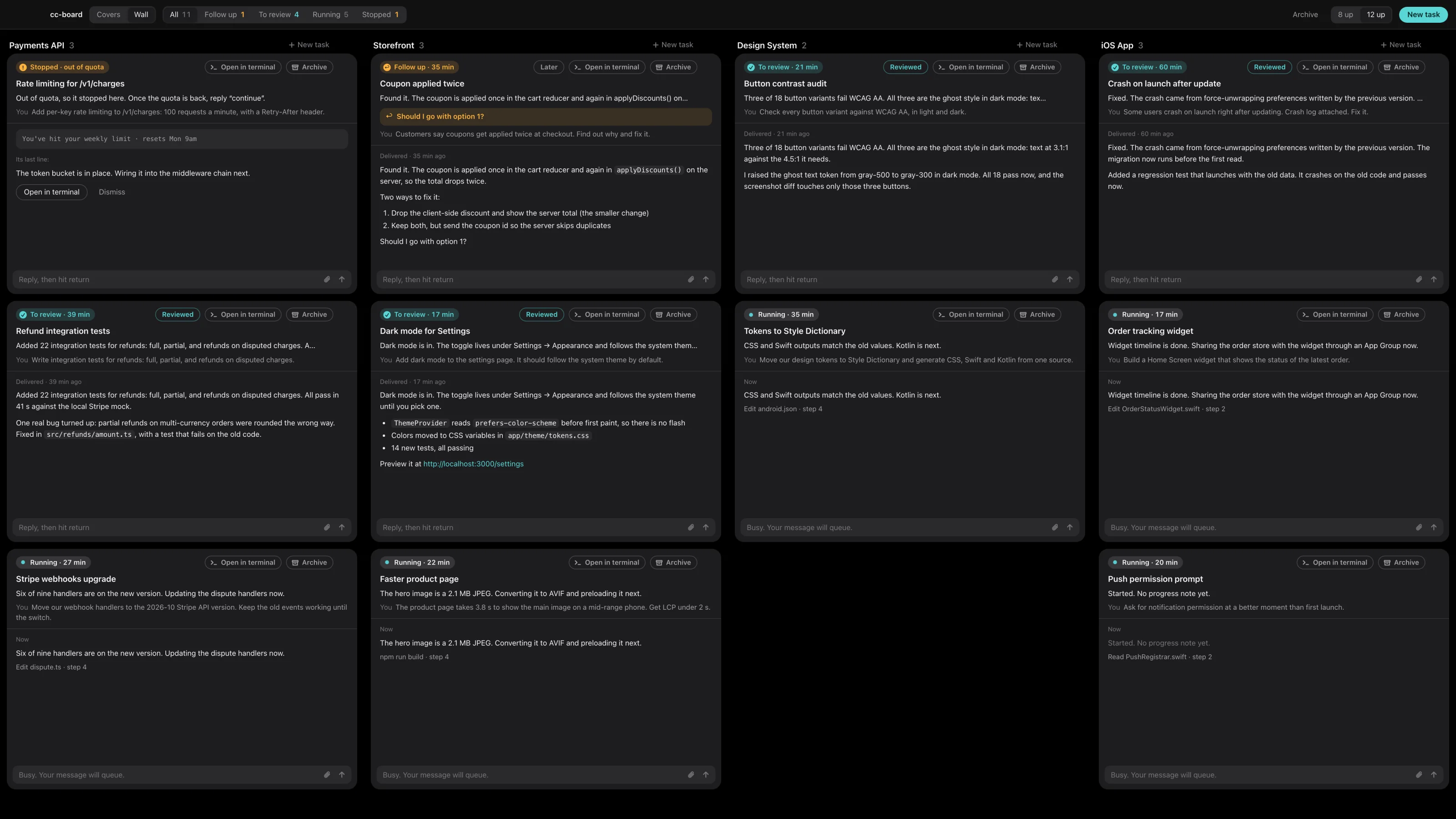
One card at a time. The card in front is the session that most needs you. Reply in it and press Return, and the next result comes up. Sessions that are still running stay in the back, blurred, until they finish.
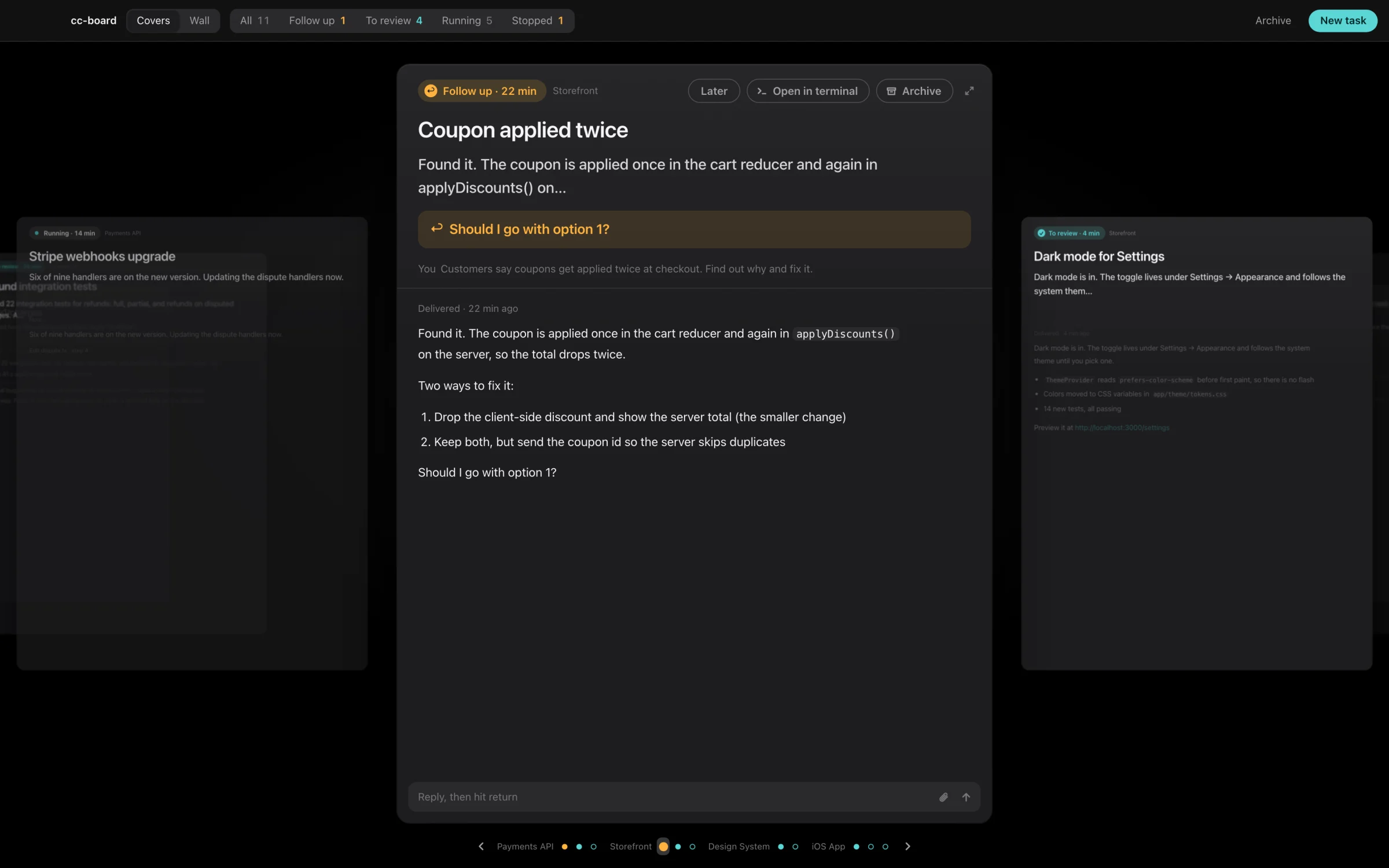
Each card shows what you asked, the gist of what came back, and where the session stands. When a session stops, the card names the reason it found in the transcript: out of quota, login expired, an API error, interrupted, never finished, or running but quiet for 20 minutes. If you're looking at something else, you also get a notification.
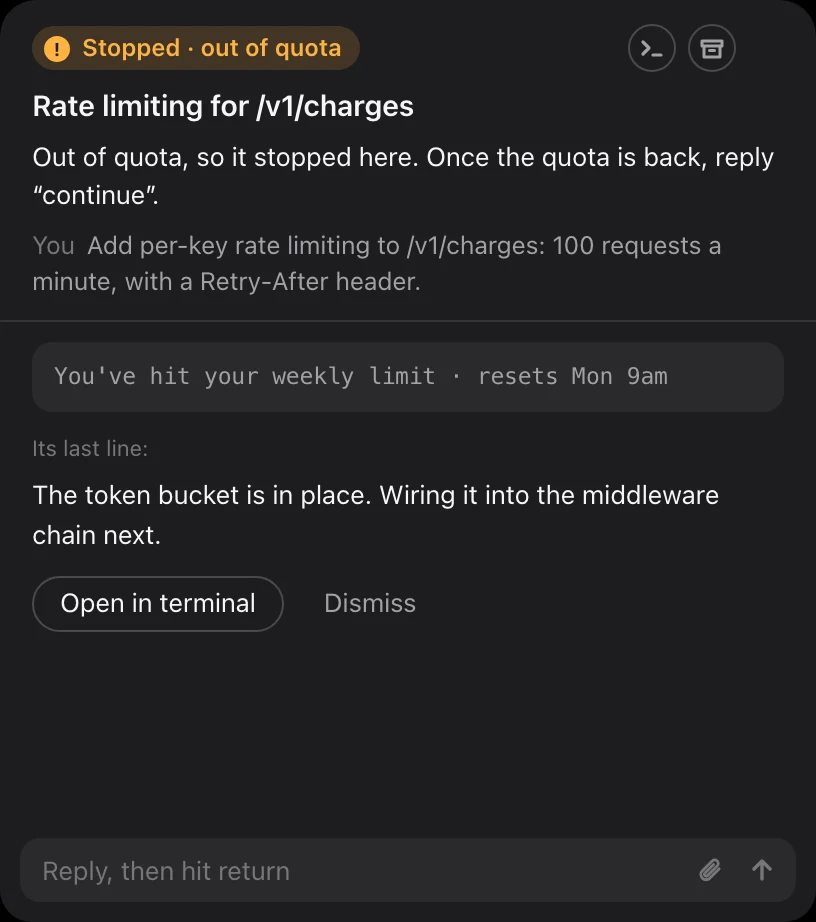
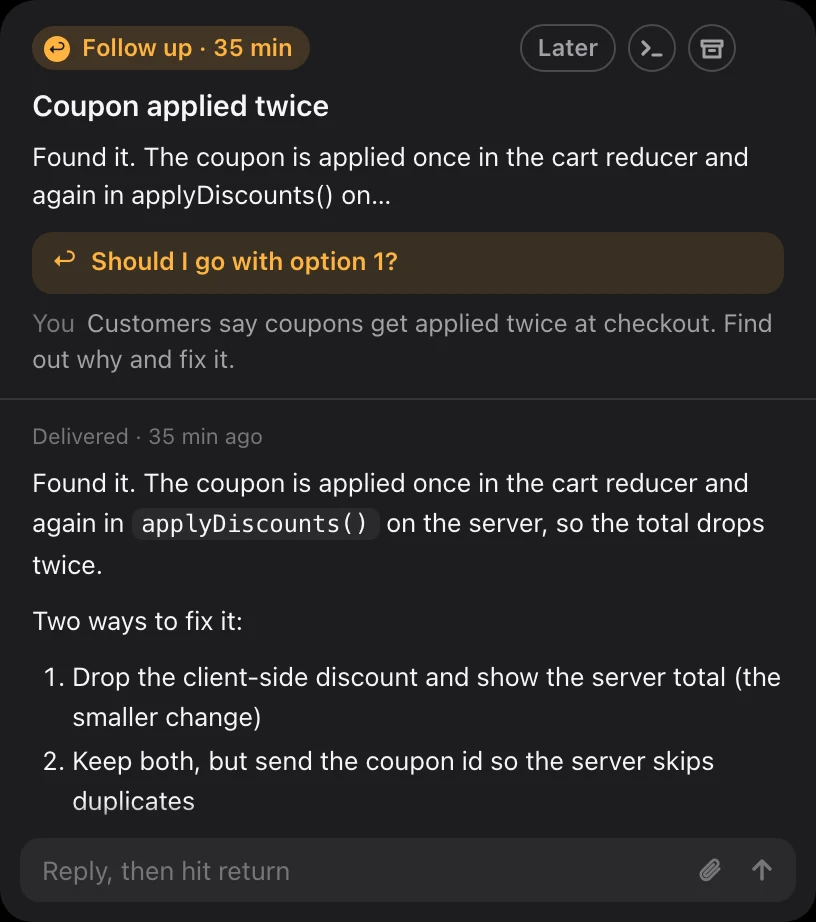
~/.claude, and never writes to them. No SDK, no API proxy, no claude -p.claude process: a Ghostty tab you opened, or a tmux session cc-board started for you. You can attach to it and take over at any time.127.0.0.1 only, every request needs a token, and the page loads nothing from the internet.The script checks your Mac, fetches cc-board from GitHub and builds it locally in under a minute. It needs no sudo. Source goes to ~/.cc-board, the app to ~/Applications/总控台.app. Read the script.
curl -fsSL https://ccboard.dev/install.sh | sh
You need Claude Code, Node 22 or later (brew install node), tmux (brew install tmux) and the Xcode Command Line Tools (xcode-select --install). Ghostty is optional; it's only needed to reply into tabs you opened yourself. Or build it by hand:
git clone https://github.com/Lfrangt/cc-board.git
cd cc-board && ./build.shCLAUDE.md stay as they are, and deleting cc-board leaves nothing behind in them.